Every feature can be turned off in one settings file.
Twelve things it does, each one switchable.
| 1.1 | Positional voice | Hear players from where they stand. Walls muffle, distance fades. One key to whisper or yell. | Direct speech |
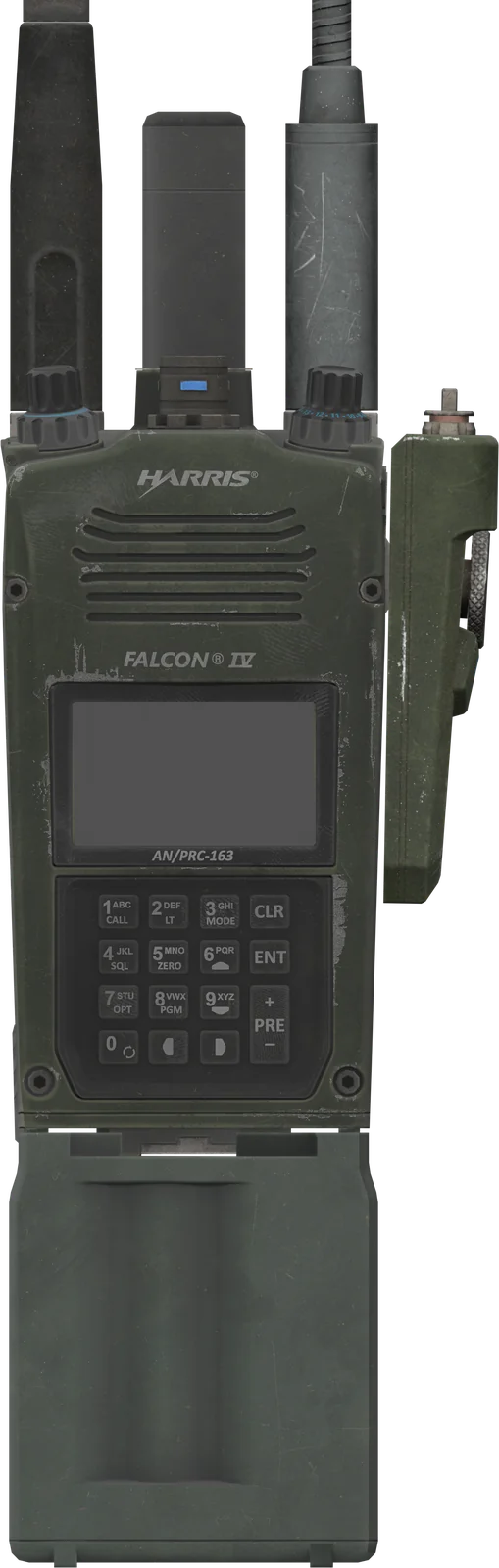
| 1.2 | Five radios | PRC-343, 148, 163, 117G and MPU5 on real bands. The 148 and 163 have working faces. | Catalogue |
| 1.3 | Propagation | Analogue sinks into hiss; digital holds, then breaks up. Hills block the path, buildings and forests cut range. | Signal + terrain |
| 1.4 | Mesh and masts | A call hops through teammates' radios, or through relay masts you place on the map and switch on and off. | Up to 3 hops |
| 1.5 | Satcom | Reach far past the hills through a ground antenna, as long as it can see the sky. | Terminals |
| 1.6 | Squelch & open speaker | Cut out weak callers, or play a radio out loud for the people around you. | Per radio |
| 1.7 | Headsets | One lead per radio, left or right ear, single or dual comm, with ear protection that never muffles your own radio. | Add-on |
| 1.8 | Radio window and wheel | Tap P for the radio window, hold P for a quick wheel. The armoury crate hands out radios and headsets. | Controls |
| 1.9 | Battery and stuck mic | Batteries can run down, and an open mic is warned, then cut off, before it jams a net. | Field discipline |
| 1.10 | Comms log and card | Staff review every call after the op with /commslog. Players press M for the net list. | Staff tools |
| 1.11 | Your own screen | Build a radio screen in your own style on the scripter API, with its own manual. | RadioAPI |
| 1.12 | One settings file | Nets, team radios, ranges and sounds, every value explained in plain words. | RadioSettings |
Drag the distance. Example nets and ranges: it shows how signal behaves, not your exact numbers.
Range is a rule, not a guess.
Each radio has its own reach. Walk out of it and your players hear the difference before they lose you.
| Net | Freq | Radio | Signal |
|---|
Example nets; your unit sets its own frequencies and ranges. Digital radios stay clean, then drop. The analogue PRC-343 fades into hiss.
Approval usually within hours.
From purchase to first transmission.
- 01Buy
On Payhip. Your licence key arrives by email.
- 02Link your game
Sign in with Roblox. We check with Roblox that you own the game, or the group that owns it.
- 03Approval
Your server password and downloads unlock.
- 04Paste, pair, play
Follow the manual, install the TeamSpeak plugin, and you're on the net.
Paid once. Hosting and updates included. Two games.
One licence. Paid once.
Paid once. Hosting and updates included.
Checkout runs on Payhip. Your key arrives by email.What unit leaders ask before they buy.
Before you buy.
What does each player need?
The TeamSpeak 3 client on Windows (not TeamSpeak 5 or 6), your unit's TeamSpeak server, and our plugin. Each player pairs once: /pair in Roblox, then /radio pair in TeamSpeak.
Does it work alongside other TeamSpeak radio plugins?
No. They use the same part of TeamSpeak, so switch them off on every player's PC (2.4 names them and shows how). One player with one still on is enough to break the sound for others.
Our game belongs to a Roblox group. Who sets it up?
The group's owner signs in and registers the game. Roblox doesn't tell us what an officer's rank allows, so only the owner can. It takes two minutes.
Does our voice go through your servers?
No. Speech stays in TeamSpeak. Our relay only carries positions and radio settings.
What if we can't get it working?
Ask in Discord first: most problems are one of the checks in Nobody can hear me. If it still can't be made to work, you can get a refund within 14 days.
More in Common questions. Reviews open after launch, from verified buyers only.
Ask on Discord